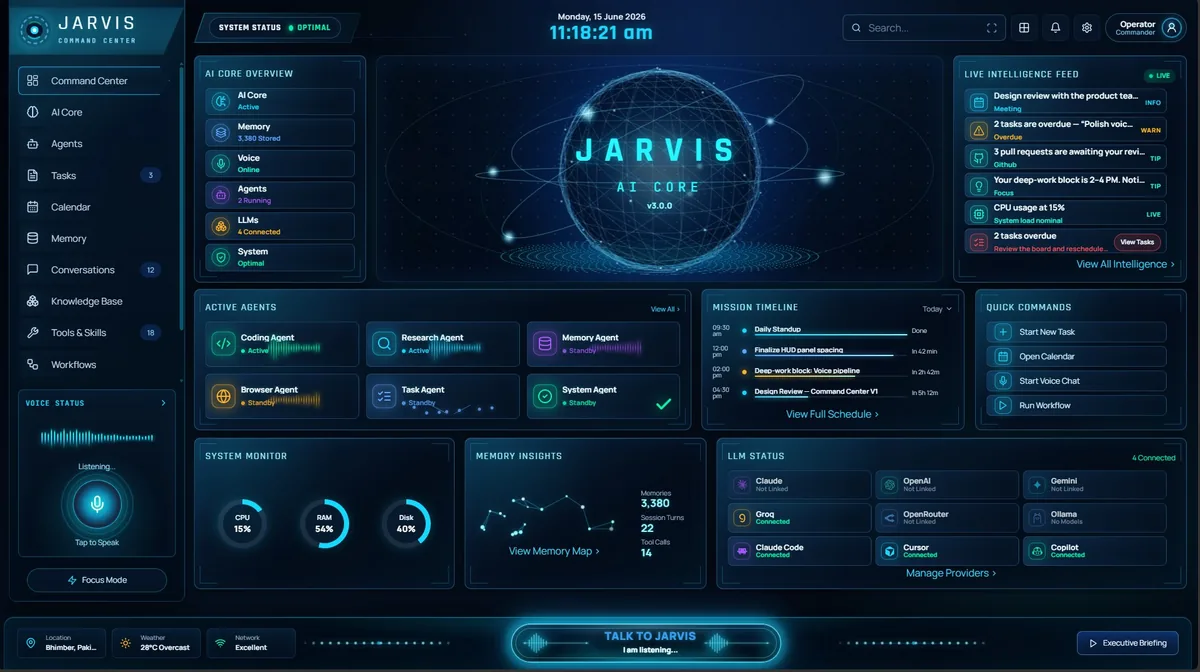
Jarvis AI Assistant vs ChatGPT:
Which Is Better for Windows?
ChatGPT is excellent at thinking. The gap is doing things on your local machine. Here is a fair look at where each one is strongest, so you can pick the right tool — or use both.
Quick answer: Jarvis AI Assistant is the better fit if you want an AI that takes actions on your Windows PC: it runs 70+ local tools (shell, files, git, Docker, browser, Jira, messaging), lets you pick between 7+ AI providers including OpenAI, and can run fully offline with local Ollama models. ChatGPT is the better fit if you mainly want conversation, writing and research from one top-tier model with no setup. Jarvis AI Assistant costs a $9.99 one-time payment plus your own API usage, while ChatGPT Plus is $20 a month at the time of writing.
ChatGPT is very good. That is not the question.
If you are searching for a ChatGPT alternative for the desktop, the honest first answer is that ChatGPT is very good at what it does. OpenAI’s models are among the strongest available for reasoning, writing and general knowledge; the product has a large ecosystem of custom GPTs and integrations; and, at the time of writing, it offers a Windows desktop app of its own. If your work is mostly thinking, drafting and asking questions, ChatGPT is a fine choice, and nothing on this page should talk you out of it. Plenty of people agree: OpenAI reported 900 million weekly active users and 50 million paying subscribers in February 2026, according to TechCrunch.
The gap is doing things on your local machine. ChatGPT’s desktop app is, at heart, a window onto a cloud service: it can see what you paste or share with it and reason beautifully about it, but it does not run your shell, read your repository, list your Docker containers, or send the email it just drafted from your own account. Jarvis AI Assistant was built for exactly that layer. It is a native Windows 10 and 11 app from the Microsoft Store that runs more than 70 real tools on your PC, and it uses the model of your choice — including OpenAI’s — to decide which ones to run.
Jarvis AI Assistant vs ChatGPT at a glance.
| Feature | Jarvis AI Assistant | ChatGPT |
|---|---|---|
| Runs tools on your PC | 70+ local tools: shell, files, git, Docker, browser, Jira and messaging. | No access to your local shell, repos or containers; works with what you paste, upload or connect. |
| Local / offline mode | STRICT privacy mode answers with local models only (Ollama or the built-in llama.cpp engine); no prompt goes to a cloud AI provider. | None in the ChatGPT app; conversations are processed on OpenAI’s servers. |
| Model choice | Eight providers per request: Claude, OpenAI, Gemini, Groq, OpenRouter, Ollama, llama.cpp and Claude Code. | OpenAI models only, chosen from its own model picker. |
| Voice | Wake-word voice over the same agent and tools. | Built-in voice mode. |
| Memory | Cross-session memory stored on your own disk (local SQLite by default). | Memory feature stored by OpenAI, managed in your account settings. |
| Gmail and Google Calendar | Reads and sends mail, Gmail included, over IMAP/SMTP with an app password; creates and updates Google Calendar events. | Gmail and Google Calendar connectors on paid plans, added in August 2025. |
| Pricing model | $9.99 one-time for lifetime access, plus your own API keys or free local models. | Free tier; Plus is $20 per month, with higher-priced Pro tiers. |
| Platforms | Windows 10 and 11 via the Microsoft Store; Android companion on Google Play. | Web, Windows, macOS, iOS and Android. |
ChatGPT details are at the time of writing; OpenAI changes plans and features often.
Pick by the shape of your day.
Choose ChatGPT when
- You want a single, top-tier conversational model with no setup at all.
- You rely on custom GPTs, its built-in voice mode, or other parts of the OpenAI ecosystem.
- Your tasks end in text: a draft, an explanation, an answer — not an action on your PC.
- You are happy with one vendor choosing the model and hosting the conversation.
Choose Jarvis when
- The task ends in an action on your machine: a commit summarised, a container restarted, a ticket filed, a reply sent.
- You want to pick the model per request across 7+ AI providers instead of being tied to one.
- You need a mode where your prompts go only to AI models running on your own PC.
- You want memory that persists across sessions and lives on your own disk, plus wake-word voice over the same agent.
It is not really ChatGPT versus another model.
Jarvis can route a request to OpenAI when that is the best fit and to a local model when the content is sensitive, in the same conversation. It works with 7+ AI providers: Claude, OpenAI, Gemini, Groq, OpenRouter, local Ollama models, and the Claude Code command-line tool. You bring your own API keys and pay each provider directly —Jarvis adds no markup on tokens. If you already pay for a Claude plan,Jarvis can drive Claude Code as a provider too.
Even OpenAI’s models do not have to run in the cloud. OpenAI publishes open-weight gpt-oss models under the Apache 2.0 licence, and Ollama lists the smaller 20-billion-parameter version as running on systems with as little as 16 GB of memory — so in STRICT mode Jarvis can use an OpenAI-built model that runs entirely on your PC.
Where the conversation is processed.
ChatGPT processes conversations on OpenAI’s servers under OpenAI’s terms. What controls you have over retention and training use depend on your plan and settings, and those policies change, so check the current ones rather than take our word for it. Jarvis gives you three privacy modes instead: RELAXED, the default, sends prompts to the cloud model you chose with no redaction; GUARDED strips credential-like strings such as API keys, passwords and tokens before a cloud call; and STRICT uses only local Ollama models, though online tools such as web search still work. Conversation history and memory are stored on your machine, and a local log records which models were called. The security page goes into each mode in detail.
When ChatGPT is the better choice.
- You use several devices. ChatGPT runs on the web, Windows, macOS, iOS and Android with one synced history; Jarvis is a Windows app with an Android companion on Google Play.
- You do not want to manage API keys. ChatGPT works the moment you sign in. Jarvis needs a provider key or a local Ollama model before it can answer.
- Your work ends in text, not actions. For drafting, research and explanation, ChatGPT’s own tools — voice mode, file uploads, image generation and Deep Research, listed in OpenAI’s Plus plan description — cover the job without anything installed.
- You want read access to Gmail and Calendar without installing anything. ChatGPT added Gmail and Google Calendar connectors for paid plans in August 2025.
Not another chat box.
Most assistants talk. Jarvis executes — on your hardware, across your tools, with memory that lasts.
| Capability | ChatGPT | Microsoft Copilot | Jarvis |
|---|---|---|---|
| Has a native desktop app | |||
| Executes real tools on your machine (shell, git, docker) | partial | partial | |
| Cross-session long-term memory | partial | ||
| Multi-LLM routing (7+ providers) — you pick the model | partial | ||
| Fully local / offline mode | |||
| Secret redaction before anything reaches the cloud | partial | ||
| Voice, CLI, Web & desktop — one brain | partial | partial | |
| Auditable agent core (every action logged locally) | partial | partial | |
| Bring your own API key — no markup |
Comparison reflects publicly documented capabilities at the time of writing.
Go deeper
Thinking versus doing — and why many people use both.
For pure conversation quality inside a single vendor’s ecosystem, ChatGPT remains excellent, and it is the right answer for a lot of people. For an AI desktop assistant that actually operates your Windows computer — with your choice of model behind it, your data on your disk, and voice, memory and tools in one agent — Jarvis is the better fit. Plenty of people sensibly keep ChatGPT for open-ended thinking and use Jarvis for everything that touches the terminal, the filesystem or their accounts; the two are not mutually exclusive, and Jarvis can even call OpenAI’s models as one of its providers.
Jarvis is available as a limited-time $9.99 one-time payment for lifetime access through the Microsoft Store, with no recurring app subscription — details on the pricing page. Install it from the Microsoft Store, add a key for whichever provider you prefer, and follow the usage guide for the first commands and routing prefixes. If you want the wider field, our round-up of the best AI assistants for the Windows desktop covers the rest of the options, and our Copilot comparison and Claude desktop comparison do the same exercise for Microsoft’s and Anthropic’s assistants.
Sources
- TechCrunch: ChatGPT reaches 900M weekly active users (27 February 2026)
- OpenAI Help Center: What is ChatGPT Plus?
- BetaNews: ChatGPT now integrates with Gmail, Google Calendar and Contacts (August 2025)
- heise online: ChatGPT desktop app for Windows available for everyone
- Ollama library: gpt-oss, OpenAI’s open-weight models