Google Calendar
So you can ask for your day, and change it, in plain language.
- View upcoming events
- See which calendars you have
- Create events
- Update events
- Delete events
- Find free time
Private AI assistant for Windows
Jarvis is a Windows desktop AI assistant that can use your tools, voice, routines, memory, and connected services to carry a task through—while you control what stays local and what reaches the cloud.
macOS and Linux coming soon.
Optional Google connection
Jarvis AI Assistant connects to Google only after you approve access, only for the calendar actions you request, and you can disconnect it at any time.
So you can ask for your day, and change it, in plain language.
Jarvis AI Assistant only accesses Google data after the user explicitly grants permission. Users may disconnect Google access at any time. Use of Google data follows the Google API Services User Data Policy.
Google Calendar
Illustrative workflow
Jarvis can move from understanding a request to using the right tools and returning a concrete result—while showing you what happened.
Review my recent commits, find the most important unfinished task, and create a Jira ticket for it.
Recent git history and open TODOs are inspected. Sensitive values are protected before any cloud-model request.
The highest-priority unfinished item is identified and a Jira issue is prepared with the relevant context.
JARVIS-47 created: Refactor authentication middleware. Priority: High. Assigned to the current sprint.
Jarvis brings action, conversation, automation, and continuity together without hiding control behind a black box.
Desktop actions
Use files, shell commands, git, Docker, the browser, and connected tools from one conversation—with approval before sensitive actions.
Voice
Start a hands-free conversation, ask for a task, and hear the result without switching windows or reaching for the keyboard.
Routines
Describe a multi-step routine in plain language, choose when it runs, and pause, edit, or run it immediately whenever plans change.
Memory
Keep useful preferences and past outcomes on your own machine so future work starts with the right context.
Need the full technical list? Explore every Jarvis feature.
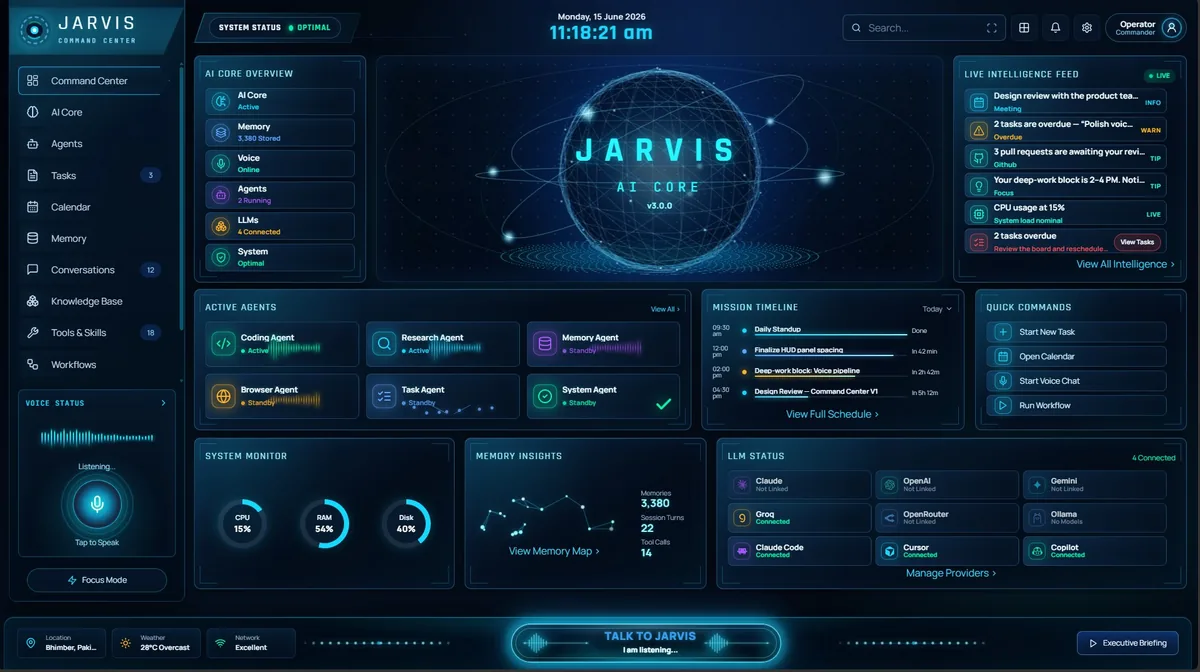
The home screen. Talk or type to Jarvis from the bottom bar, and watch tasks, approvals, your schedule and system health update live.
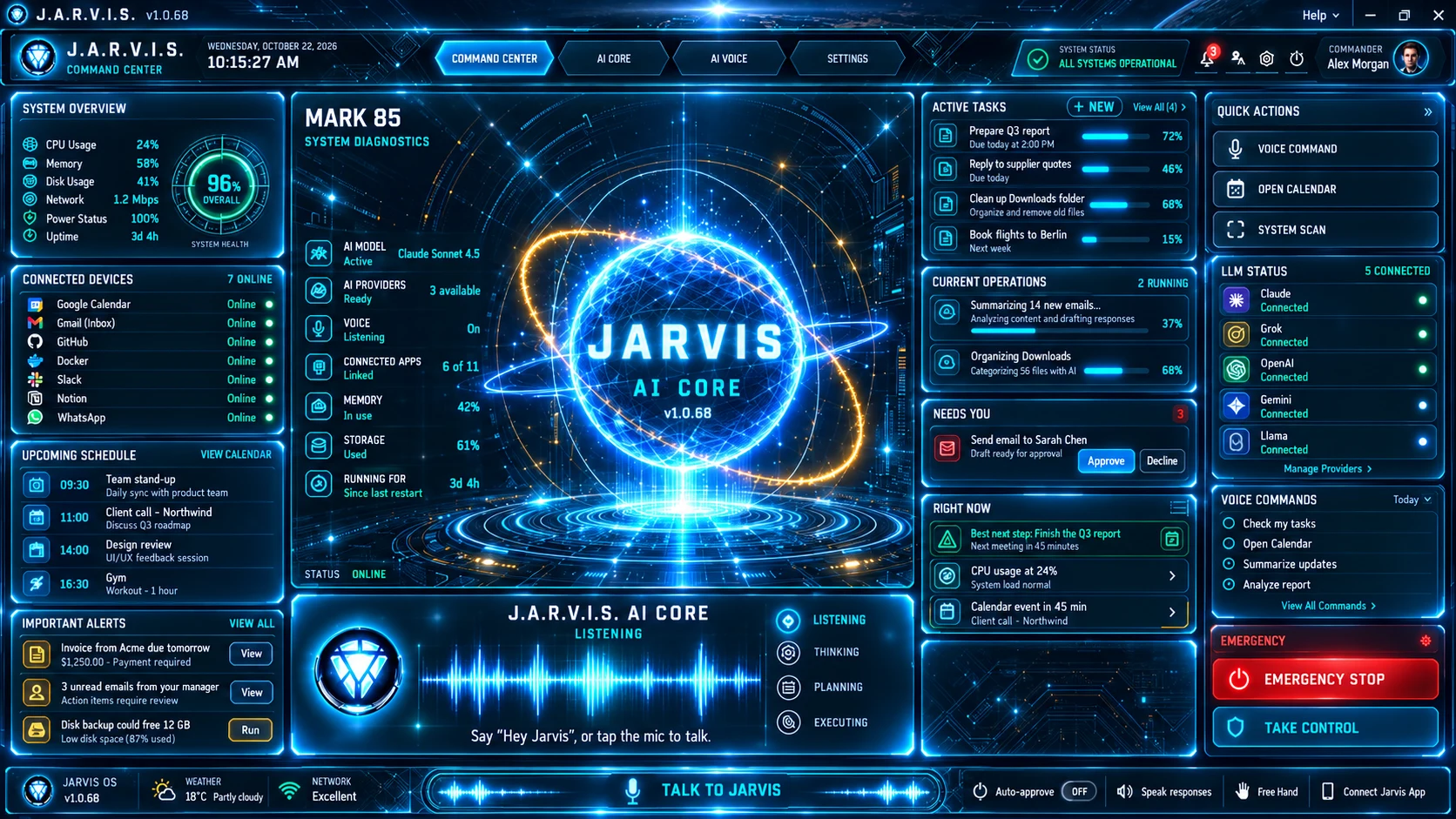
New to the dashboard? Read the full dashboard guide.
Choose the model, productivity tools, and developer services Jarvis can use. Every connection remains optional and under your control.
Privacy and control
Jarvis makes the local and cloud boundary visible. Choose a privacy mode for the work in front of you, see which cloud models were called, and disconnect services whenever you want.
Local only
Only local models (Ollama or the built-in llama.cpp engine) answer, so prompts are never sent to a cloud AI provider. Online tools such as web search still work.
Cloud with protection
Use cloud models after credential-like strings such as API keys, passwords and tokens are stripped.
Direct cloud access (default)
Use enabled providers without redaction for trusted, non-sensitive work. This is the default.
From automating repetitive workflows to building dedicated AI systems, we help businesses turn operational problems into practical AI-powered solutions.
Have a workflow that should be automated with AI? We can build it.
Customize Jarvis
Extend Jarvis with business-specific workflows, integrations and capabilities while the core Jarvis platform stays proprietary.
Binary / Executable Delivery
Your customized deployment is delivered as a compiled application. Jarvis source code is not included.
Build From Scratch
Have requirements beyond Jarvis? We can architect and develop a dedicated AI solution around your workflows, systems and business requirements.
Source Code Available
Source-code delivery can be included for custom-built solutions, according to the agreed project scope and contract.
Custom Jarvis deployments are delivered as compiled applications and Jarvis proprietary source code remains private. From-scratch projects are separate implementations; any source-code handover covers that project only and is defined in the project agreement.
See what we build and how a project runs: custom AI solutions for business.
Getting started
Get the Windows app from the Microsoft Store.
Use your Jarvis account to activate your licence and sync access across devices.
A free Groq key is the easiest start. OpenRouter or Gemini keys work too, or the built-in llama.cpp engine or Ollama for privacy.
For example: "Show me the files in my Downloads folder."
Limited-time offer
$9.99 USD · One-time payment
Pay once for lifetime access to the Jarvis Windows app. No recurring app subscription.
Get Jarvis on Microsoft StoreThird-party AI services may charge separately. Final regional pricing is shown in the Microsoft Store.
Everything you need to know about running Jarvis — privacy, cost, models, and platforms.
Jarvis AI Assistant is available as a limited-time $9.99 USD one-time payment for lifetime access to the Windows app through the Microsoft Store — no recurring app subscription. On top of that you bring your own LLM API keys (or run fully local with Ollama), so you pay your model providers directly and Jarvis adds no markup on tokens. See the current offer.
Your conversations, memory and settings are stored on your PC. What reaches a cloud AI model depends on the privacy mode you choose in Settings. RELAXED, the default, sends prompts to the cloud provider you picked with no redaction. GUARDED strips credential-like strings such as API keys, passwords and tokens first; email addresses and phone numbers are not redacted. STRICT uses only local Ollama models, though online tools such as web search still work. A local log records which provider and model were called, not the content.
Anthropic (Claude), OpenAI (GPT), Google (Gemini), Groq, OpenRouter for 200+ more, and local models through Ollama or the built-in llama.cpp engine — all through one unified, prefix-based router. Switch models with zero config.
Jarvis AI Assistant ships as a native Windows desktop app (Microsoft Store / MSIX), plus a CLI, web dashboard, and voice interface. Apps for macOS and Linux are coming soon.
Jarvis AI Assistant is an agentic system, not a chat window. It runs 70+ real tools, remembers across sessions, routes between 7+ AI providers, and runs on your own hardware with privacy controls. It does work — it does not just talk about it.
Only so it can do the calendar tasks you ask for, and connecting is optional — Jarvis works fully without it. Calendar access lets it read your schedule, create, update, and delete events, and find free time. It does not request any Gmail permission. Reading, searching and sending email is a separate, optional step that uses IMAP and SMTP with an app password you create yourself and can revoke at any time — which also means it works with Gmail, Outlook, iCloud, Fastmail and any other provider. Jarvis AI Assistant only accesses Google data after you explicitly grant permission on Google's own consent screen, and you can disconnect at any time from inside the app or by revoking access in your Google Account permissions.
Partly. A local log records which cloud provider and model were called and how many messages were sent, but not the content of those messages. Your conversations, memory, settings and logs are stored in the .jarvis folder in your Windows user profile, where you can see them.
Yes. Free-Hand voice mode does wake-word → live conversation → proactive idle, with fast sub-second first audio using ElevenLabs (premium, opt-in) or local Faster-Whisper + Kokoro.
No. Talk to it in plain language from the desktop app or voice. Developers get a powerful CLI and tool registry; everyone else gets a Command Center with daily briefings, notes, and reminders.
Yes — they are called routines. You describe the steps in plain language ("check my unread email", "send me a short summary") and say when ("every morning", "every day at 5pm", "every 2 hours"). Jarvis then runs those steps on its own, using the same tools and the same model it uses when you chat with it. You can pause, resume, run it now, reschedule, or delete a routine at any time.
It catches up once. When Jarvis starts again it detects the missed schedule and runs the routine a single time, rather than firing every run you missed in a burst. Routine schedules also resolve against your machine’s local timezone, not UTC, so "9am" always means 9am where you are.
No. PostgreSQL is optional everywhere in Jarvis AI Assistant. If you have not connected one, routines and their run history persist to a local SQLite file in your home folder. There is nothing to install and nothing to configure.
Install Jarvis AI Assistant on Windows, choose the privacy mode and model that fit your work, and move from instructions to completed actions.
macOS and Linux coming soon.
Jarvis is built independently. If it helps you, you can support new features, testing and long-term development on Patreon.
Completely optional. Your Jarvis licence and features stay exactly the same.