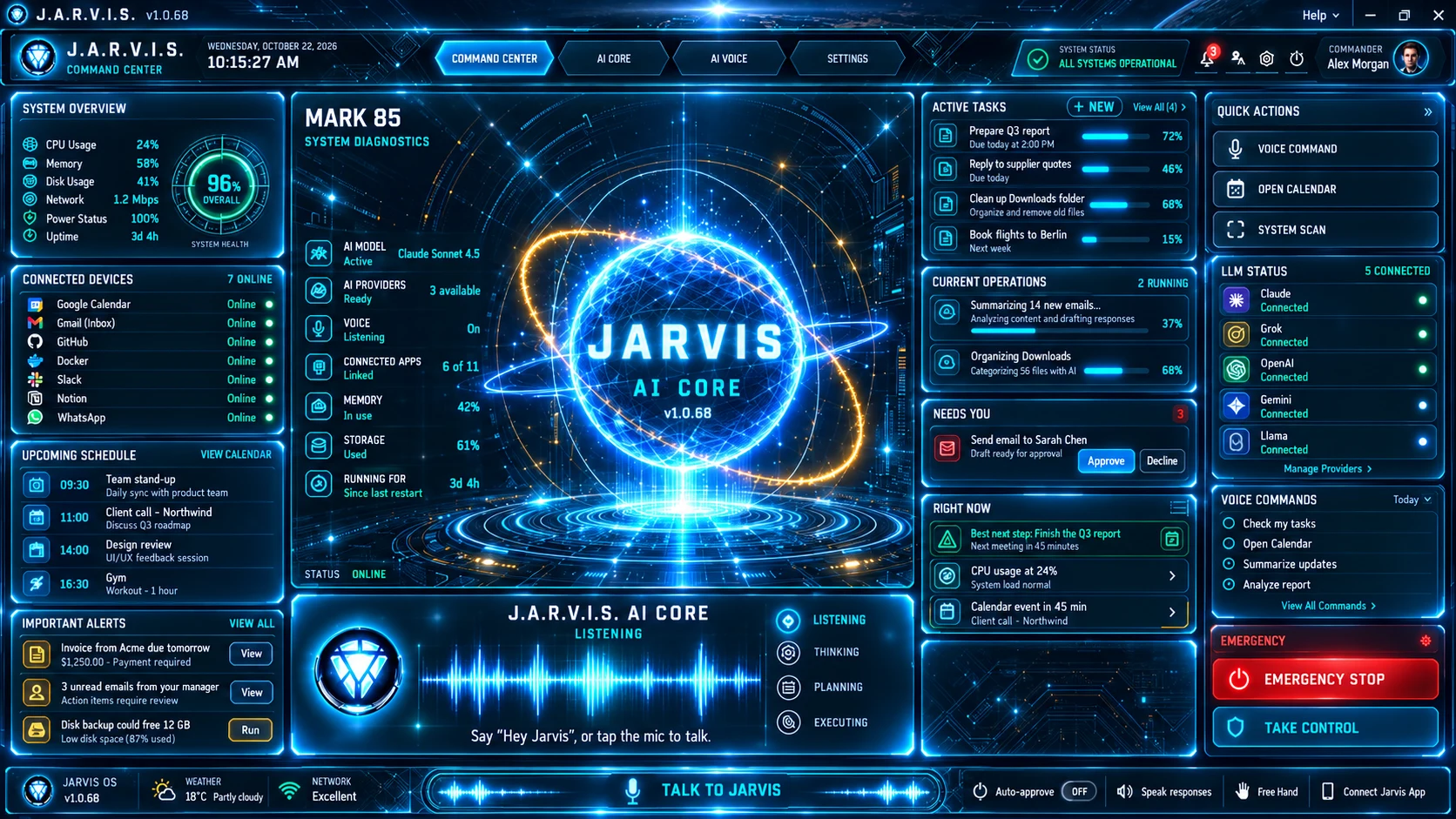
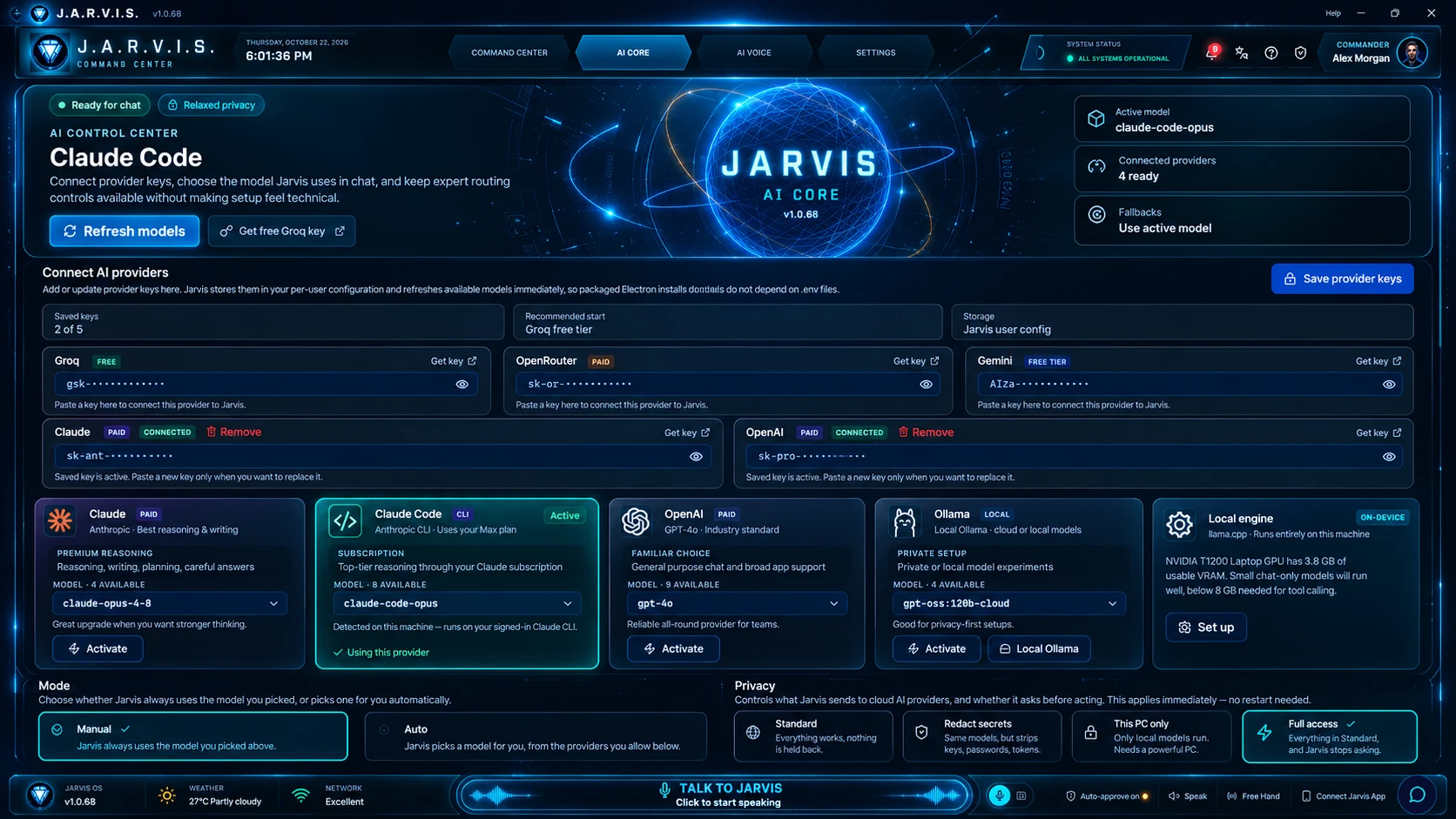
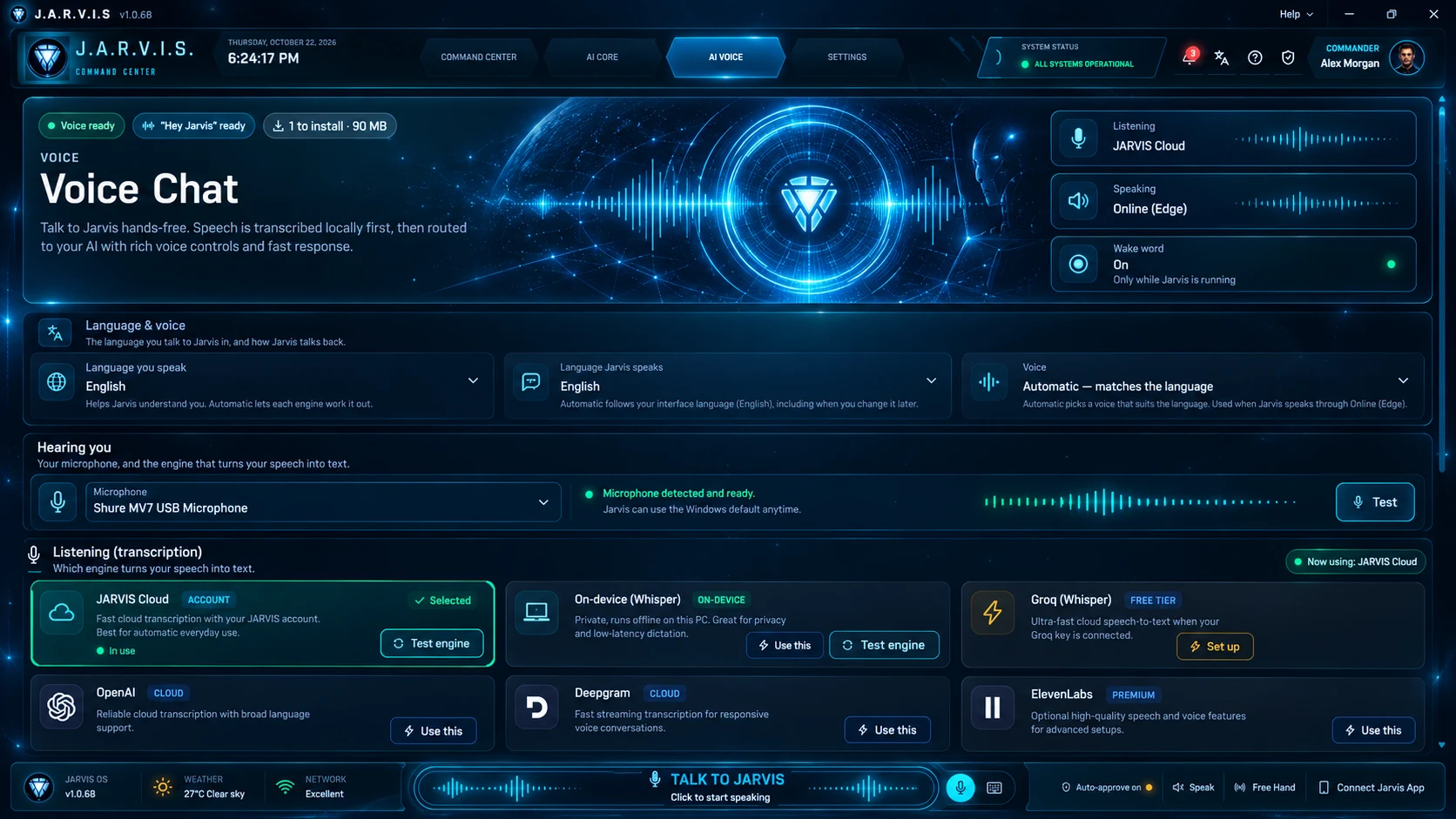
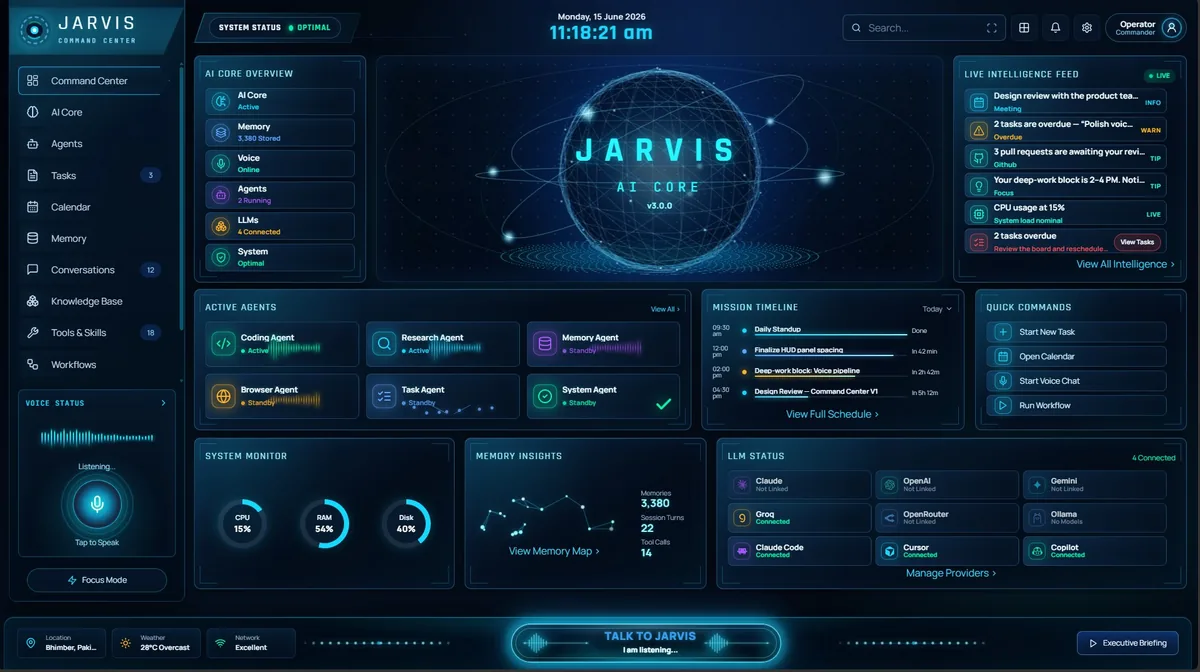
Jarvis AI Assistant command center on a Windows desktop, showing tools, voice and model routing.
Features

AI Assistant Features for Windows PC
— Tools, Voice, Memory & Routing

Jarvis AI Assistant is an AI assistant for PC that finishes tasks instead of describing them. Native Windows 10/11 app, 75+ real tools, wake-word voice, memory that lasts, and your choice of 7 LLM providers.

What makes it different

An assistant that does the work, not just the talking.

Most “AI software for Windows” is a chat window wrapped around a single cloud model. You paste text in, you get text out, and everything that happens next — opening the file, running the command, sending the email — is still on you. Jarvis is built the other way round. It ships as a native Windows 10 and 11 app from the Microsoft Store, and it runs more than 75 real tools on your own machine: the shell, your files, git, Docker, a browser, Jira, Gmail, Google Calendar and WhatsApp among them.

Tools are the difference between an assistant that explains and one that finishes. Ask for a summary of yesterday’s commits and Jarvis reads the git log itself. Ask what is eating memory and it queries the running containers rather than guessing. Every tool call is visible and logged, so you can always see what ran and why. When a task needs several tools, the agent chains them in a single turn: read the error, find the file, draft the fix, open the ticket.

Voice is built in, not bolted on. Say the wake word and speak a request while your hands are on the keyboard or you are across the room, and Jarvis answers out loud. It is the same agent with the same tools and memory, so a spoken “check my calendar and reply to the last WhatsApp from Sam” runs exactly as a typed one would.

Memory persists across sessions. Decisions you made in a conversation last month, the projects you are working on, the way you like replies formatted — all of it is available the next time you open the app, without you re-explaining anything. You can ask what you decided, tell it to remember something, or tell it to forget.

Routing is where Jarvis is genuinely unusual. It speaks to seven LLM providers — Claude, OpenAI, Gemini, Groq, OpenRouter and local Ollama models, plus the Claude Code command-line tool — and picks the right one per request, or lets you override with a prefix. You bring your own keys and pay your providers directly; there is no token markup in between. Routing to Claude Code means a Claude plan you already have can do the heavy lifting while Jarvis supplies the tools, the memory and the voice.

Everything runs where you are. The desktop app, the built-in web dashboard and the terminal interface share one agent, one memory and one set of settings, so nothing you configure is stranded in a single window. An Android companion app, currently in beta, lets you reach the same assistant from your phone when you are away from the PC.
Core Capabilities

Not a chatbot.
An intelligence system.

Jarvis was built to handle real work at scale — hundreds of requests per session, parallel tool execution, and memory that grows smarter with every interaction.

INTELLIGENCE

Neural LLM Router

Prefix-based routing sends each query to the best model. Claude for reasoning, Gemini for vision, Groq for speed, Ollama for local privacy. Zero config switching.

claude-* → Anthropic · gpt-* → OpenAI · gemini* → Google
🔧
POWER

Agentic Tool Registry

75+ production tools: shell execution, filesystem ops, git control, Docker management, web search, Jira automation, WhatsApp/Messenger integration, and more.

Smart tool selection — only relevant tools sent per query
🛡
SECURITY

Privacy Guard Core

STRICT mode keeps data local. GUARDED mode redacts secrets before cloud. Fernet encryption at rest. Full audit trail of every external API call.

API keys, passwords, tokens auto-redacted
🧠
ARCHITECTURE

Think-Act-Observe Loop

The agent loop runs Think → ToolCall → Observe cycles with real-time streaming events. Budget tracking prevents infinite loops. Parallel tool execution via asyncio.gather().

ThinkingEvent → ToolCallEvent → ToolResultEvent → ResponseEvent
💾
MEMORY

Cross-Session Memory

PostgreSQL full-text search across all past conversations. Redis hot cache. Pattern learning tracks tool success rates, error→fix mappings, and your preferences over time.

Semantic recall · No context lost between sessions
🖥
INTERFACE

Every Interface, One Brain

Rich terminal CLI, FastAPI WebSocket API, Next.js dashboard, Electron desktop shell, voice, and Flutter mobile all share the same agent, tools, and memory.

CLI · Web dashboard · Desktop shell · Voice · Mobile
Full Capability Matrix

Everything Jarvis can do,
in one place.

Four pillars. Dozens of production capabilities. One unified agent that ties them together — with memory, privacy, and routing built in at the core.

Intelligence

  • Multi-LLM routing7 providers, prefix + auto selection
  • Vision & multimodalimage, screenshot, and document understanding
  • Streaming reasoningtoken-level Think → Act → Observe events
  • Smart tool selectiononly relevant tools sent — saves ~6.5k tokens
  • Cost & budget guardsper-session token + spend caps

Automation

  • Shell & filesystemsandboxed execution with approval gates
  • Git & GitHubcommits, PRs, issues, code review
  • Docker controlcontainers, images, logs via natural language
  • Jira & workflowtickets, boards, sprints automated
  • Browser automationnavigate, scrape, fill, screenshot

Memory

  • Cross-session recallPostgreSQL full-text + semantic search
  • Pattern learningtool success rates, error→fix mappings
  • Preference modelinglearns your style and defaults over time
  • Redis hot cachesub-millisecond context retrieval
  • Audit ledgerevery external call recorded and replayable

Experience

  • Voice (hands-free)wake-word → conversation → proactive idle
  • Native desktop appElectron + MSIX desktop shell
  • Command Centerdaily briefing, weather, notes, calendar
  • Web dashboardNext.js real-time streaming UI
  • Proactive nudgesJarvis surfaces what matters, unprompted
Power Features

Features you won't find
anywhere else.

Beyond chat. Beyond autocomplete. Jarvis has capabilities built for professionals who need real automation — not demo-ware.

🖥

Native Desktop App

Install from the Microsoft Store and get the full Jarvis experience without a terminal. Auto-updates, offline capability, and deep system integration out of the box.

Microsoft Store → one-click install → auto-update
💬

Auto-Reply Engine

Automated intelligent replies for WhatsApp and Facebook Messenger. Set schedules, custom templates, and let Jarvis handle your messages autonomously.

WhatsApp · Messenger · custom rule engine

Parallel Tool Execution

Independent tools run simultaneously via asyncio.gather(). A query calling 3 tools runs in parallel, not series — typically 3× faster with zero extra configuration.

tool_a() ∥ tool_b() ∥ tool_c() → gather()
👤

Personalized Profile

Your role, projects, preferences, and custom instructions are injected into every LLM conversation. Jarvis knows who you are and adapts every response accordingly.

profile.json → injected in every prompt (60s cache)
🎙

Voice Command Mode

Hands-free operation with Whisper speech recognition and Kokoro TTS. Activate hands-free, hear spoken responses, control your entire system with natural language.

Whisper STT → agent loop → Kokoro TTS
🧬

Adaptive Pattern Memory

Jarvis records which tools work for which queries, maps errors to fixes, and learns your preferences across thousands of interactions. Gets smarter every session.

success_rate tracking · error→fix maps · preference weights

Built on a world-class stack

Enterprise-grade components, battle-tested libraries, zero bloat.

Python 3.11+FastAPIasyncioNext.js 14ElectronPostgreSQLRedisPydanticWhisperPyInstallerTailwindTypeScriptFernetpystray
View Full Guide
Who it is for

Built for people whose day is a long list of computer chores.

Jarvis was made for developers, ops engineers and anyone who loses hours to routine work on a Windows PC. If you have ever wished a chatbot could just do the thing instead of telling you how, this is that. It is a paid product with quarterly, annual and one-time lifetime plans; the full feature set is identical in every plan, and the details are on the pricing page.

To get going, install Jarvis from the Microsoft Store, add a key for at least one provider, choose a privacy mode and start typing or talking. The usage guide walks through the essential commands, power workflows and routing prefixes in detail. If you are still weighing options, our write-up of the best AI assistants for the Windows desktop compares the field honestly, including the cases where Jarvis is not the right fit. And if privacy is the deciding factor, the security page explains exactly what stays on your machine in each mode.